The Systems Behind a Fully Booked Photography Business
TL;DR: McKenzie Bigliazzi automates her entire client journey in Dubsado, inquiry, onboarding, and gallery delivery, without her clients ever knowing because every form is branded and email personalized in her own voice. Her system runs on three workflows: an instant inquiry response, an onboarding sequence triggered the moment a contract is signed and retainer is paid, and an offboarding sequence that delivers galleries, requests reviews, and archives the project automatically.
Most photographers think automation and keeping the personal touch isn’t possible. McKenzie Bigliazzi's business proves otherwise.
McKenzie is a wedding and elopement photographer based in Colorado who's been using Dubsado since 2017. She recently joined Dubsado onboarding specialist Joey for a live workshop, "The Systems Behind a Fully Booked Photography Business," and walked an audience of photographers through the exact systems she uses to run her client experience, no theory, just her real account, on screen.
Here's what she covered, and what you can take from it even if you've never opened Dubsado before.
The myth: automation makes your business feel robotic
McKenzie opened by naming the fear most photographers have before they automate anything… that clients will feel like they're talking to a robot instead of a person.
Her answer is that none of her clients know her systems are automated. Every email carries her actual voice, including the swearing (from excitement to be working with them, of course). What's automated isn't her personality, it's the repetitive parts she was already doing for every single client anyway.
A workflow doesn't replace the judgment calls, the personal notes, or the brand voice. It replaces the mental load of remembering to send them.
Workflow 1: what happens when a lead comes in
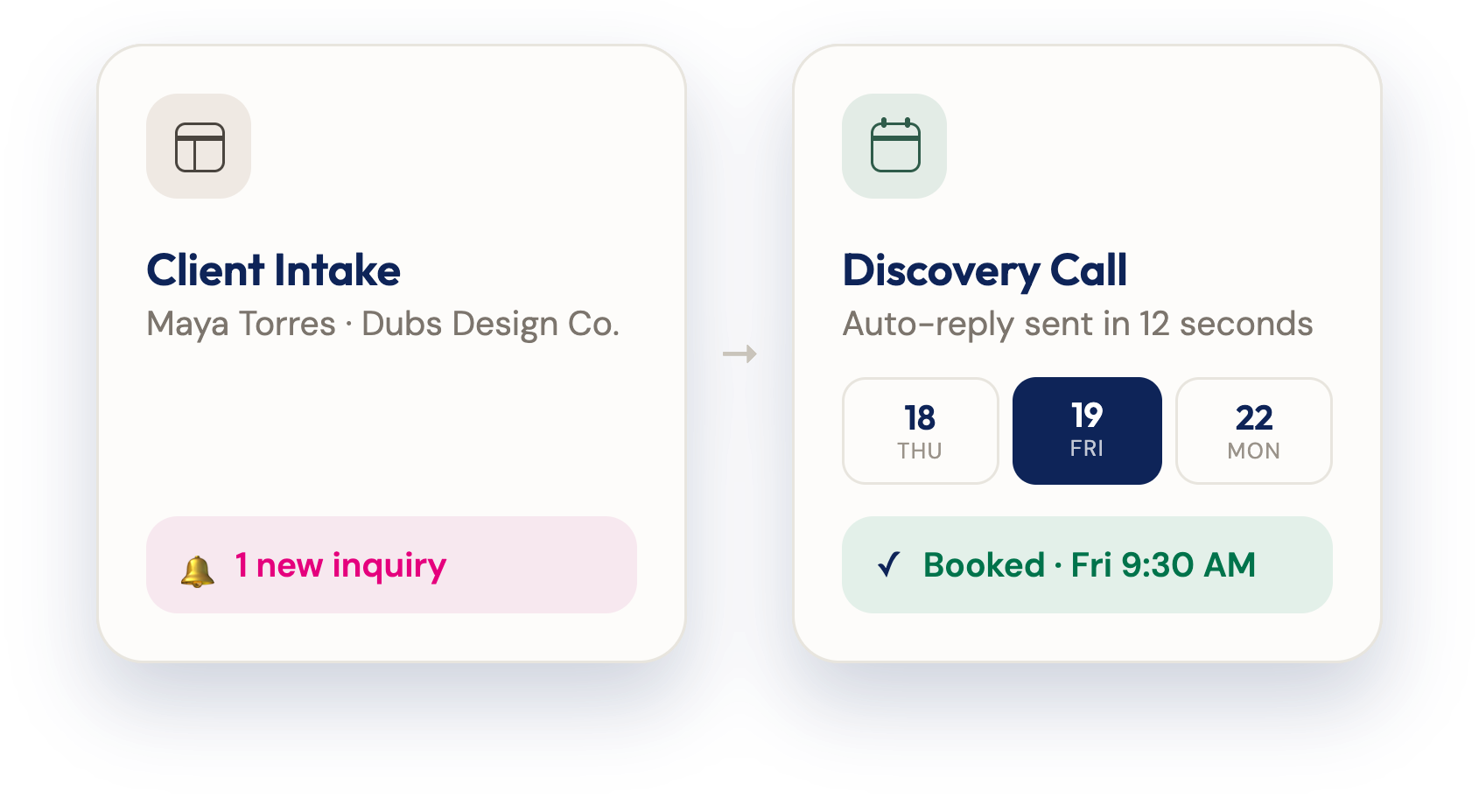
When someone submits McKenzie's inquiry form (embedded directly on her website), Dubsado automatically:
Sends a confirmation email letting them know the inquiry was received
Points them to her Instagram and sample galleries, since most leads have only seen her highlight reel
Sends a proposal form with pricing included, no discovery call required
McKenzie doesn't take sales calls. Her brand and website do most of the qualifying work before someone reaches out, so by the time an inquiry lands, she trusts it's a good match.
The one manual step she keeps: Dubsado prompts her to approve and personalize her reply before it sends, so she can respond to exactly what a lead took the time to write. That takes her about two minutes.
If a lead doesn't finish the proposal form, Dubsado follows up automatically to check in, something she says has become more necessary as booking timelines have stretched out.
Workflow 2: onboarding that starts itself
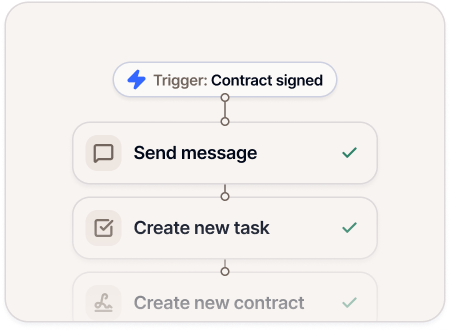
Once a client signs the proposal, contract, and pays their retainer, McKenzie's onboarding workflow takes over. No manual triggers, no checklist to remember. Excited welcome email sent, check. Questionnaire to start planning sent, check. The system moves clients through next steps on its own.
She shared a story from the workshop: she booked a wedding while sitting in the dentist chair, because the client had filled out their proposal during the appointment. All she needed to do was wait for them to hit submit. Her system did the rest while half her face was still numb.
Workflow 3: delivery, reviews, and closing the loop
When a project wraps, McKenzie's finished gallery workflow:
Sends the gallery link through Dubsado (she avoids sending it through her separate gallery platform, which tends to land in spam)
Moves the project to a "past" status
Follows up with prompts to purchase prints or USBs
Requests a review, more than once
Archives the project automatically once it's complete
That review workflow alone is how she's built over 200 Google reviews. As she put it, reviews are "just boring to write," so the system does the nudging for her.
Why this matters beyond photography
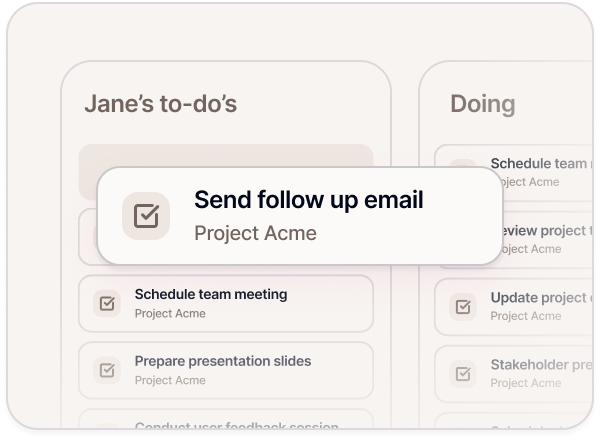
The specific tools will vary by industry, but the pattern holds for any service-based business: capture leads, follow up before someone moves on, onboard clients without depending on your own memory, and close the loop while the work is still fresh in their mind.
The businesses that scale aren't the ones working the most hours. They're the ones who've stopped relying on mental checklists and sticky notes to hold their client experience together.
Frequently asked questions
Does automating my client process make my business feel less personal?
No. Automation handles the repetitive, predictable parts of a client interaction that don’t need your attention, like confirmations, reminders, and status updates, while you still write and personalize the messages that matter. The goal is to remove the mental load of remembering to follow up, not to remove your voice from the process.
What's the first workflow I should automate in my business?
Most photographers and creative service providers start with their inquiry response, since it's the first impression a potential client gets and the easiest to forget under deadline pressure. From there, onboarding (what happens right after someone signs and pays) is the next highest-impact workflow to build.
Can I still personalize automated emails and forms?
Yes. In Dubsado, workflows can be set to prompt you for approval before sending, so you can add a personal line or change a package price or photos on a form before it goes out, without having to write the whole thing from scratch every time.
Next steps
Check out the full webinar replay.
Ready to build systems like McKenzie's without losing what makes your brand yours? Start your free 21-day trial of Dubsado, and use code mckenziebigliazzi for 20% off.
Stay connected